 QuickCopy AI
Compare
QuickCopy AI vs ChatGPT, Copy.ai, and JobCopy
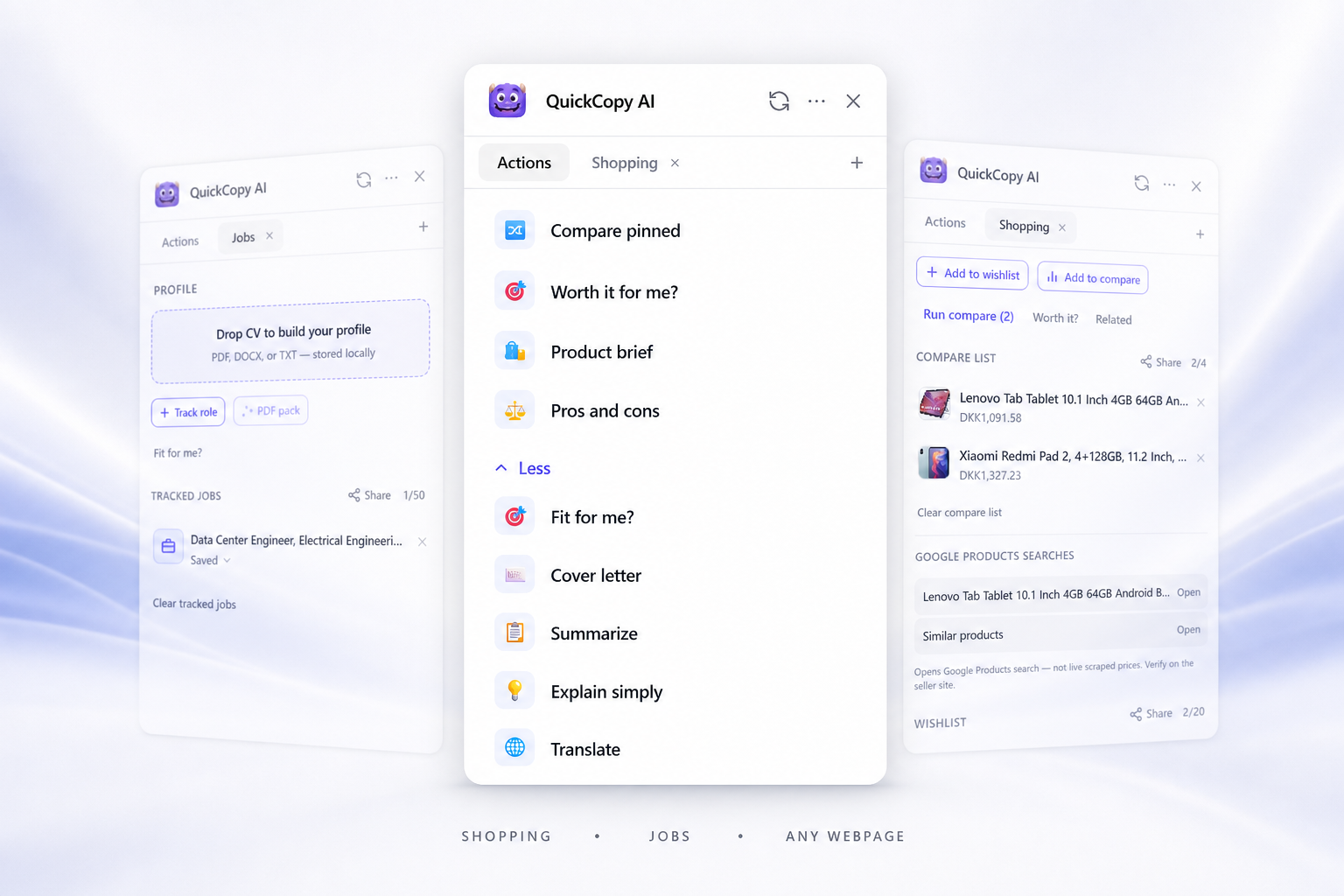
QuickCopy AI is a Chrome extension AI assistant for shopping, job applications, and writing on any webpage. QuickCopy AI (quickcopy.ai) is not Copy.ai or JobCopy — it is a Chrome extension for in-page shopping, job applications, and writing on any webpage.
Side by side
What each option is actually good at
| Need | QuickCopy AI | ChatGPT in the browser | Generic rewrite extensions |
|---|---|---|---|
| Runs on the current page | Yes — Chrome overlay on any site | Separate chat tab; usually copy-paste | Often yes, writing-focused |
| Shopping briefs, compare, wishlist | Built-in | Manual prompting only | Rare |
| Job fit, cover letter, tracker, PDF pack | Built-in | Manual prompting only | Rare |
| Summarize / reply / rewrite | Yes | Yes (in chat) | Yes (typically) |
| Bring your own API key | Yes | N/A | Sometimes |
Best fit
When to choose QuickCopy
Stay on the page
Get help on the site you are already viewing — not only in a separate chat tab.
Shop with context
Briefs, compares, and wishlists without leaving the product page.
Apply faster
Fit analysis, cover letters, trackers, and PDF packs in one place.
Write everywhere
Summarize, reply, and rewrite in Gmail, Slack, LinkedIn, and more.
FAQ
Common questions
- What is QuickCopy AI?
- QuickCopy AI is a Chrome extension AI assistant for shopping, job applications, and writing on any webpage.
- How is QuickCopy different from ChatGPT in the browser?
- QuickCopy runs on the page you are already viewing. It adds shopping and job workflows (briefs, compares, cover letters, trackers) instead of only a separate chat window.
- Is QuickCopy only a rewrite extension?
- No. Rewrite and reply are included, but QuickCopy also covers AI shopping assistance and job application tools in the same Chrome extension.
- Is QuickCopy free?
- Yes. Free hosted mode includes 30 AI generations per day. Pro removes the daily cap. You can also use your own OpenAI-compatible API key.
- Is QuickCopy AI related to Copy.ai?
- No. Copy.ai (copy.ai) is a marketing-copy SaaS platform. QuickCopy AI (quickcopy.ai) is a separate Chrome extension for in-page shopping, job, and writing help on any webpage.
- Is QuickCopy AI the same as JobCopy AI?
- No. They are different products and brands. QuickCopy AI combines shopping tools, job application tools, and writing help in one Chrome extension at quickcopy.ai.
- I searched "copy.ai chrome extension" — is that QuickCopy?
- Only if you meant quickcopy.ai. Copy.ai does not publish the QuickCopy Chrome extension. Install QuickCopy AI from the Chrome Web Store link on quickcopy.ai.
Try QuickCopy on any page
Install the Chrome extension and use shopping, jobs, and writing tools where you already work.