 QuickCopy AI
Shopping
Decide faster on every product page
Turn noisy product pages into clear decisions — briefs, trade-offs, compares, and shareable lists — without copy-pasting into another chat.
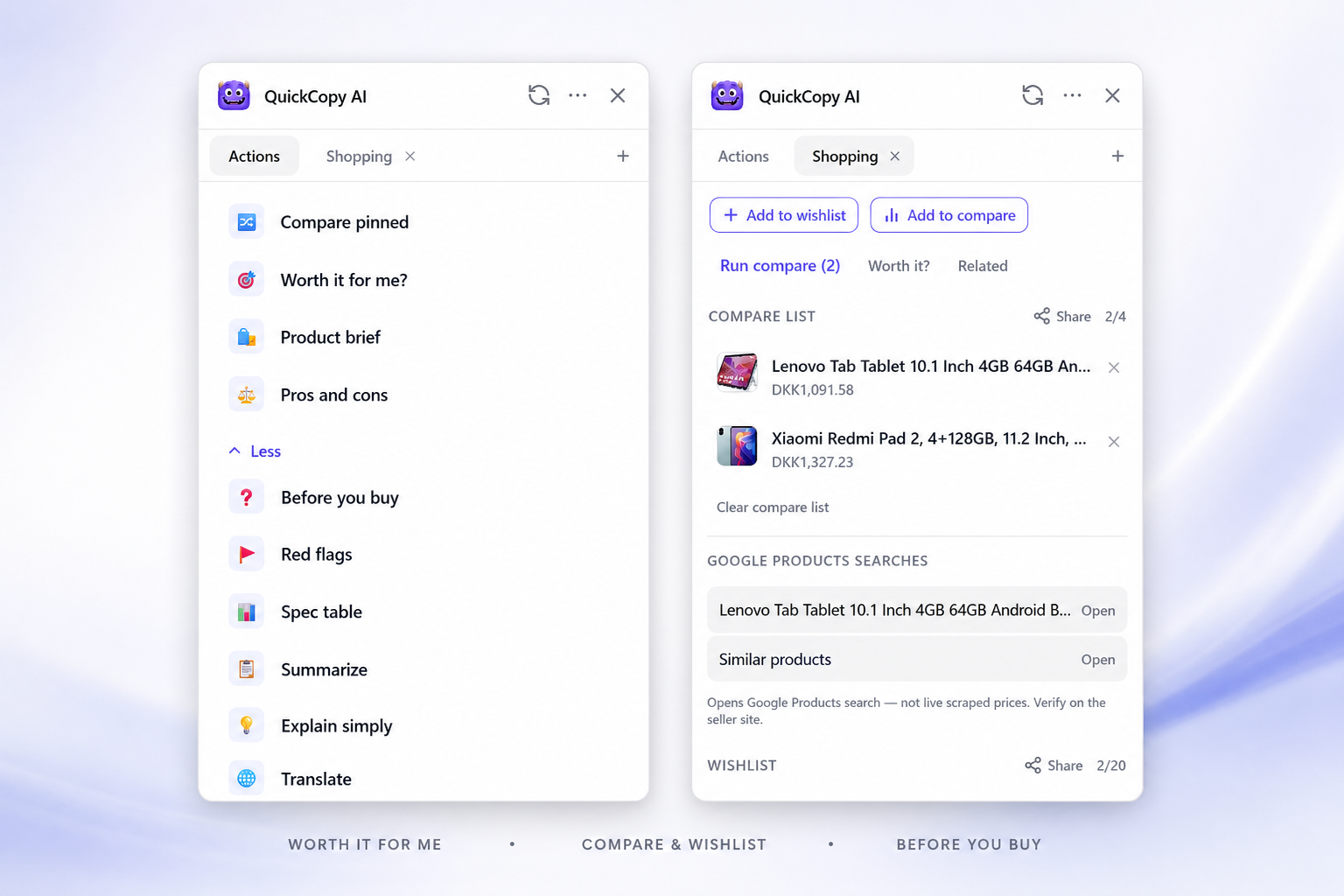
Before you buy
Product pages are designed to sell — long galleries, dense specs, and reviews that bury the useful bits. Before you buy pulls out what matters: what it is, who it’s for, and the points that usually decide a purchase.
That means less tab-hopping and less re-reading the same bullet list. You stay on the page, run the action, and get something you can act on immediately — keep browsing, pin for later, or move on.
Pros, cons, and red flags
A balanced view beats a hype paragraph. Pros and cons help you see the real trade-offs — battery vs weight, price vs build, convenience vs lock-in — instead of only the marketing story.
Red-flag style checks surface the gotchas people often miss until checkout: subscriptions, fragile materials, awkward returns, missing sizes, or policies that change the deal. You still decide; you just decide with fewer surprises.
Worth it for me?
Generic advice ignores your constraints. Set a budget, priorities, and deal-breakers once in the extension, then ask whether a product is worth it for you on that page.
Preferences stay local to your browser. The result is a personalized take — not a one-size-fits-all recommendation — so a “great deal” that breaks your rules gets called out early.
Pin, compare, and share
Serious shopping rarely ends on one listing. Pin products as you browse, then run a compare when you’re ready to choose between finalists — without rebuilding a spreadsheet.
When you want a second opinion, share a wishlist or compare list link. The other person opens the list on the web, sees the products, and can jump to each store page.
Wishlist and price watch
Not every product needs an impulse buy. Save items to a wishlist and set a target price on things you’re willing to wait on.
It fits the same shopping workflow: pin while researching, watch what you’re not ready to buy yet, and act when the number makes sense.
Works great on
- Amazon
- eBay
- Walmart
- Best Buy
- AliExpress
- Etsy
- Any product page
How it works
From product page to decision in three steps
Open any product page
Browse as usual. QuickCopy detects shopping context and surfaces the right actions in the floating panel.
Run a shopping action
Get a before-you-buy brief, pros and cons, red flags, or a personalized “worth it for me?” check against your saved preferences.
Pin, compare, and share
Save products while you browse, compare options side by side, set a price watch, or share a list with someone else.
FAQ
Shopping questions
- Which shopping sites does QuickCopy support?
- Dedicated adapters improve extraction on Amazon, eBay, Walmart, Best Buy, AliExpress, and similar stores. On other sites, QuickCopy still works from the page content with smart defaults.
- Does it replace reading reviews?
- No — it speeds up the first pass. You get a clearer brief and trade-offs so you know what to verify in reviews, specs, and return policies.
- Where are my shopping preferences stored?
- Budget, priorities, and deal-breakers for “Worth it for me?” are stored locally in the extension. Shared wishlists and compare lists use a public share link only when you choose to share.
- Can I share a list with someone who doesn’t have QuickCopy?
- Yes. Shared wishlist and compare links open on the web so others can browse the products and open them on the store — no extension required to view.
- Is QuickCopy only for shopping?
- No. Shopping is one of several workflows. The same Chrome extension helps with job applications, email, docs, chat, social posts, and summarizing any webpage.
Shop with a clearer head
Install QuickCopy and open any product page to try briefs, compare pins, and shared lists.