 QuickCopy AI
Jobs
Apply smarter from any job posting
Score fit, draft application materials, and keep roles organized — right on LinkedIn, Greenhouse, or any careers page.
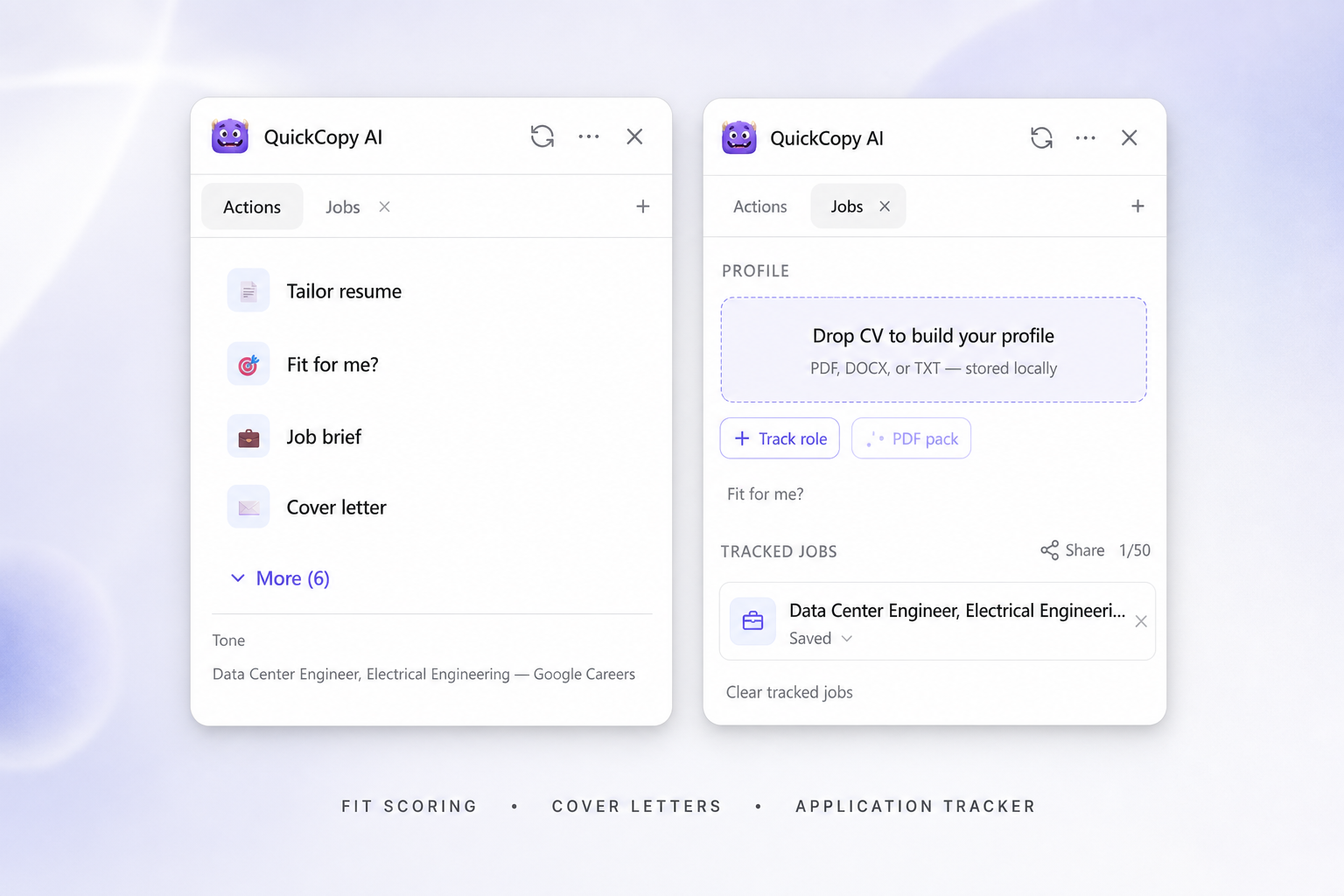
Fit score against your profile
Before you invest an hour in an application, see how the role lines up with your experience, skills, and deal-breakers. Fit scoring uses your saved career profile and the posting on the page.
You get a clearer signal than skimming the JD alone — what’s aligned, what’s missing, and whether the role is worth pursuing — while you still have the listing open.
Cover letters that match the role
Blank-page cover letters waste time. QuickCopy drafts from the posting and your profile so the first version already speaks to that company and role.
You stay in control: edit tone, add specifics, and paste into the employer’s form. The goal is a strong starting draft in minutes, not a robotic auto-send.
Application pack as PDF
Generate a cover letter and tailored resume together as a downloadable PDF pack for the posting in front of you — ready to review before you apply.
Use it as a focused version for that role, then refine bullets yourself. It pairs with fit scoring so you know what to emphasize.
Interview prep from the posting
Once a role looks promising, prepare with questions and talking points grounded in that job description and your profile — not a generic list.
Keep prep tied to the same posting you scored and drafted for, so interview practice matches what you already claimed in the application.
Track applications in one place
Save roles with status and notes as you go — interested, applied, interviewing — without losing links across tabs and email threads.
When you want a second pair of eyes, share a tracker link. Others can view the list on the web and open each posting, even without the extension.
Works great on
- Indeed
- Greenhouse
- Lever
- Ashby
- Company career pages
- Any job posting
How it works
From posting to application in three steps
Add your career profile
Upload a CV or fill key fields once. QuickCopy uses that local profile for fit scoring and drafts.
Open a job page
On LinkedIn or any careers site, open the panel and run Fit for me?, cover letter, PDF pack, or interview prep for that posting.
Track and share
Save roles with status, keep notes, and share a tracker link when you want feedback — without rebuilding a spreadsheet.
FAQ
Jobs questions
- Where is my CV stored?
- Your career profile is stored locally in the extension. Content is sent to generate a result when you run an action; see the privacy policy for details on how requests are handled.
- Will QuickCopy auto-submit applications?
- No. It helps you score fit and draft materials. You review, edit, and submit through the employer’s site yourself.
- Which job sites work best?
- LinkedIn and common ATS career pages (Greenhouse, Lever, Ashby, and similar) work well. On other postings, QuickCopy still uses the page content with smart defaults.
- Can someone else see my tracker?
- Only if you create and share a public tracker link. Shared views are meant for collaboration — they don’t require the other person to install the extension.
- Is QuickCopy only for job hunting?
- No. Jobs is one workflow. The same extension helps with shopping decisions, email, docs, chat, social writing, and summarizing any webpage.
Your next application, faster
Install QuickCopy, upload your CV once, and open any job page to score fit and draft materials.